Device (IP) limit
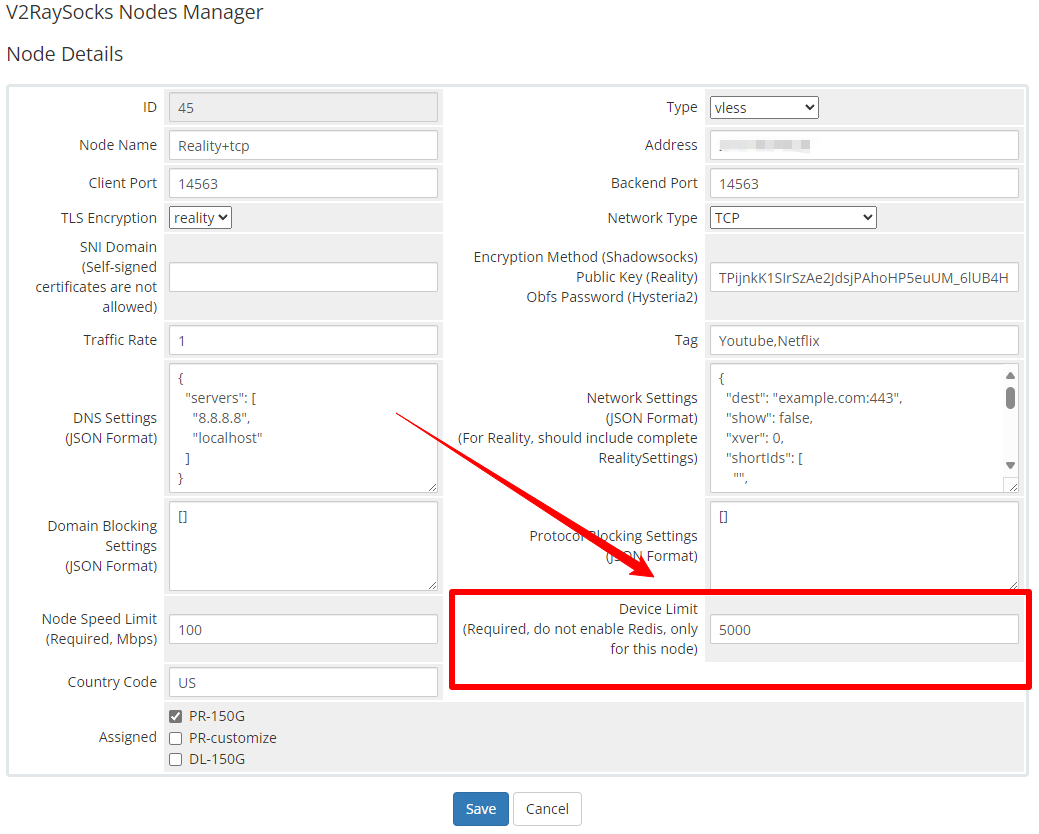
In V2RaySock, you can set the device limit number of packages and nodes separately
Please note that due to technical limitations, the number of device limits here is not the real number of devices, but the number of IPs. That is, all devices under the same IP will be regarded as one device by XrayR
Please set the device limit number separately in product settings and node settings first

Device limit in product settings
In order to implement the global device number limit, you need to install Redis and fill in the relevant information into the XrayR configuration file
      GlobalDeviceLimitConfig:
        Enable: true # Enable the global device limit of a user
        RedisAddr: 45.45.45.45:6379 # The redis server address
        RedisPassword: 123456 # Redis password
        RedisDB: 0 # Redis DB
        Timeout: 5 # Timeout for redis request
        Expiry: 60 # Expiry time (second)
In the API, the minimum value of the device limit number of the node and the package device limit number will be issued
Therefore, when you have a node whose device limit is lower than the package device limit, please do not enable the Redis-based global limit function, otherwise it will cause the device limit of your package to be overwritten by the device limit of this node.