Set basic product
Please go back to your whmcs management panel and enter the server management page, the path is [Setup]→[Products/Services]→[Products/Services]
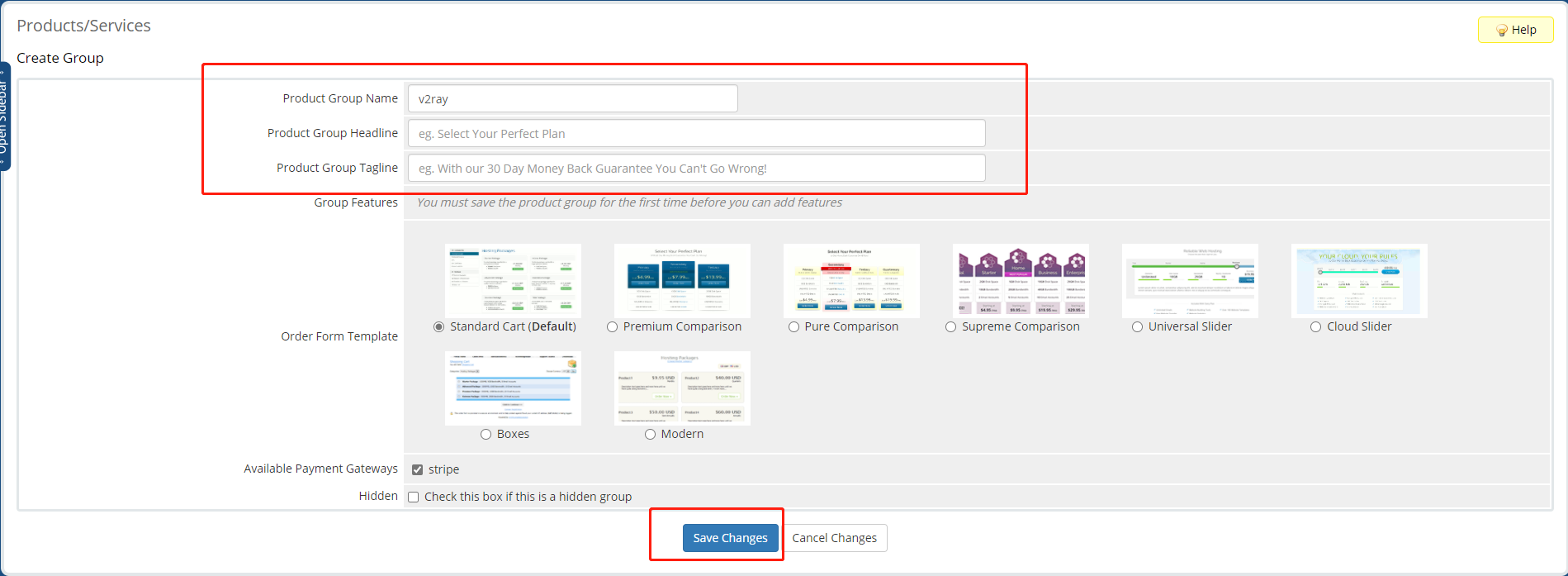
Create a new group
Please click "Create a new group" to create a product group first, After entering the basic information, click "Save and modify" to complete the creation
Create a New Product
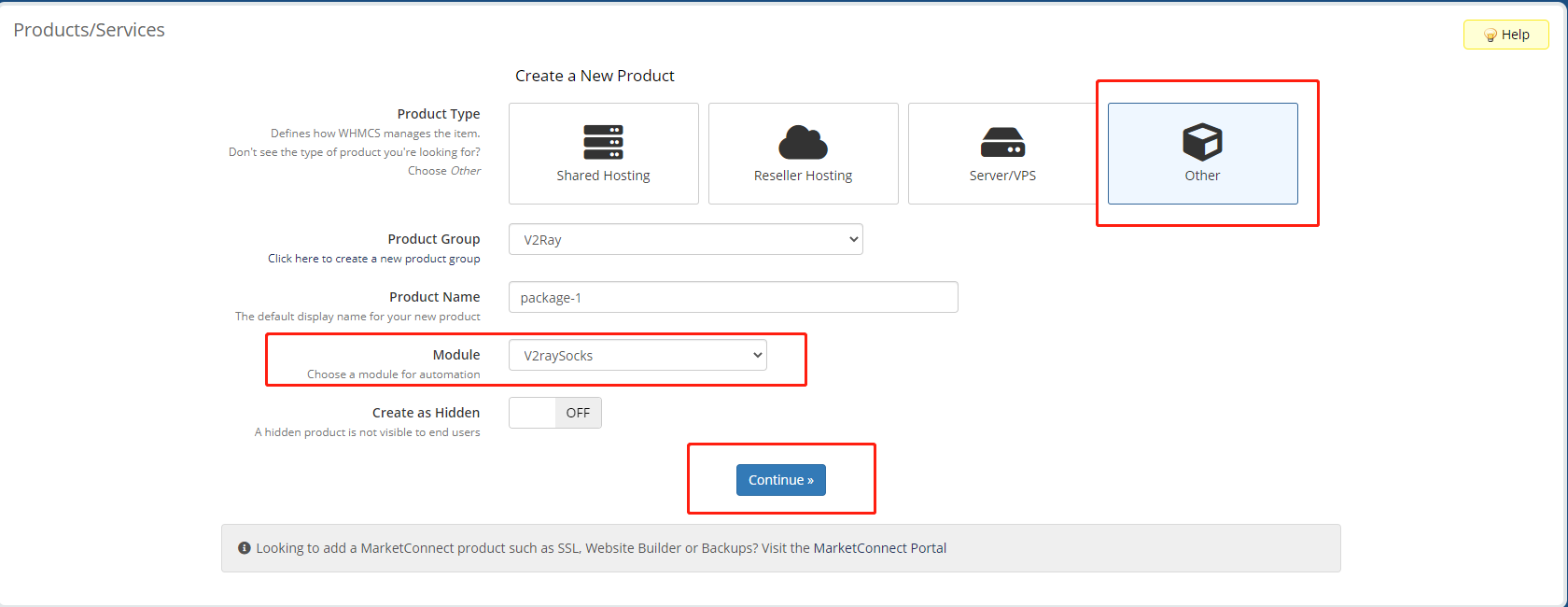
Please click "Create a new product" to create a new product, Please follow the requirements below
- Select "other" for product type
- Select "V2RaySocks" for the module
- Close "Create as Hidden"
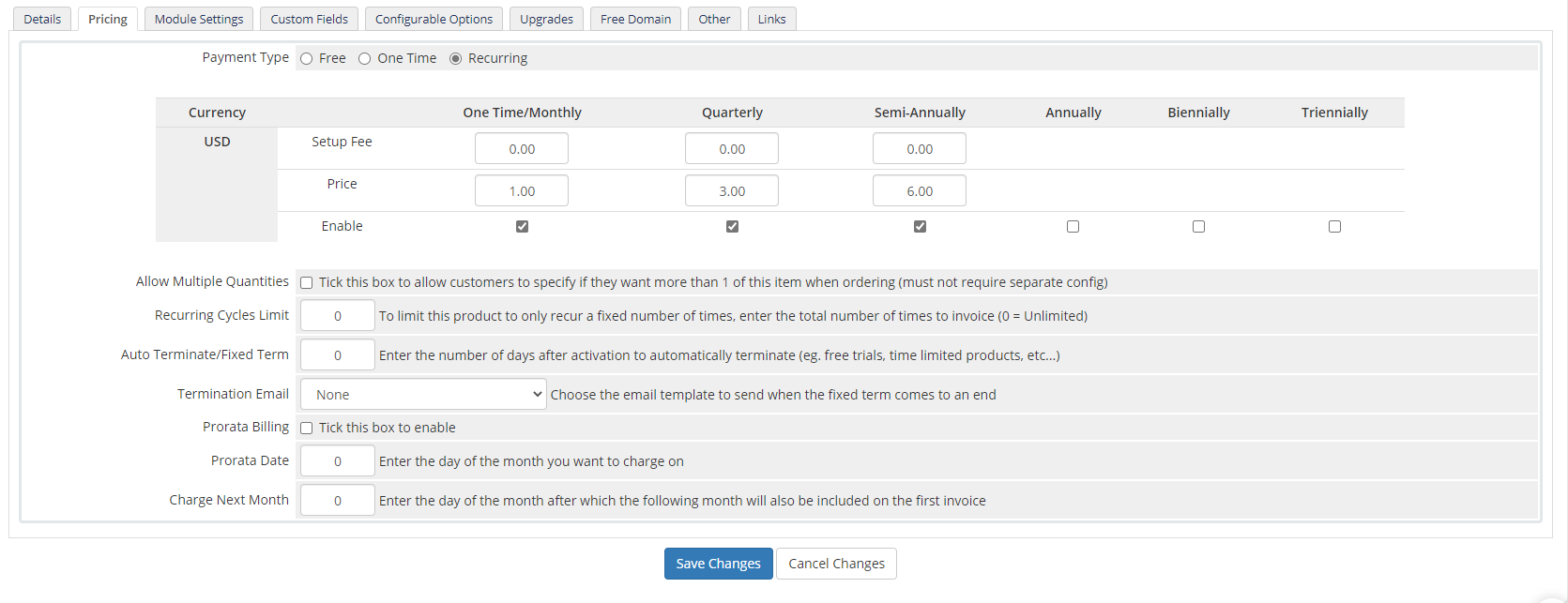
Set product price,We recommend you to use the recurring billing model
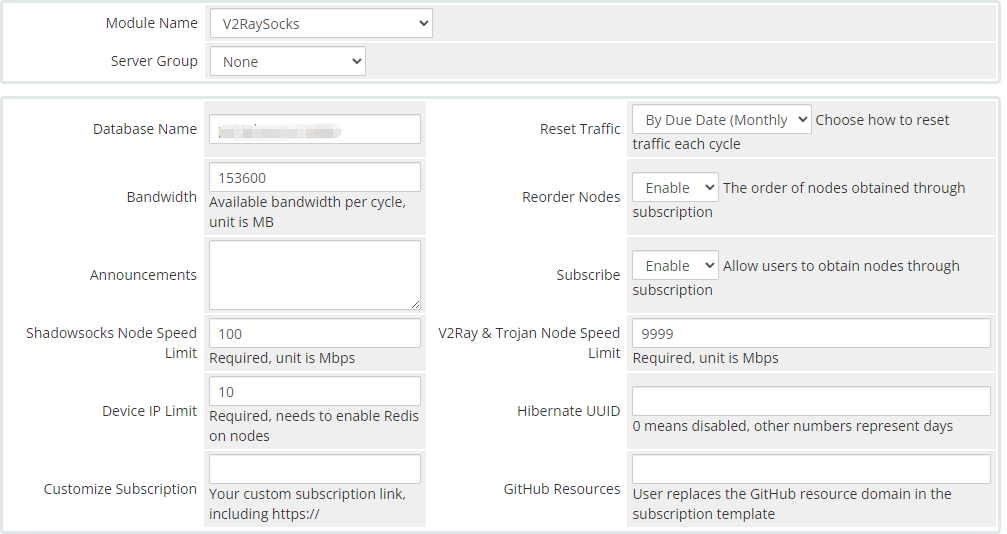
config products
Set the "Server Group" and the traffic information contained in this product on the "Module Settings" setting page
- Select V2RaySocks for the module name
- Select the server group set in the previous step
- Database, fill in the server name(DBname) set in the previous step
- Reset Bandwidth, choose according to your needs
- Subscribe, select enable
- Two speed limits must be filled in
Please select the mode of product activation, and recommend the second item, then click “Save Changes” to save it
Fill out announcements
Fill in the announcement in json as follows in Announcements. Web is the announcement displayed on the web page, which supports HTML syntax; node is the announcement displayed in the node, please try not to use symbols in it. They all support multiple languages
{
  "web": {
    "chinese": "abcd",
    "english": "abcd"
  },
  "node": {
    "chinese": "abcd",
    "english": "abcd"
  }
}
Fill out reminder node
The name of the reminder node is used for notification. It can be a valid node or a false node. It supports all node types supported by V2raySocks. Its format is as follows
{
    "type": "vmess",
    "uuid": "27705586-1a6f-4df1-8cb2-7e68787739c1",
    "port": 10011,
    "address": "8.8.8.8",
    "encryption": "",
    "tls": "tls",
    "network": "ws",
    "country":"US",
    "snidomain": "reminder-node",
    "network_settings_json": {
        "path": "/reminder-node"
    }
}